
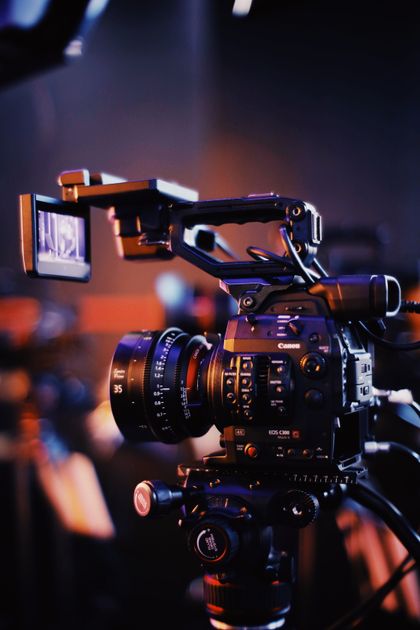
Ask a new editor why B-roll exists, and you'll often hear the same answer. To hide jump cuts. To make interviews look more dynamic. To cover edits.
Those are certainly practical uses. But they aren't why B-roll matters.
The best documentary editors don't use B-roll to hide the edit. They use it to strengthen the story.
Every B-Roll Shot Should Add Meaning
Imagine someone says: "This factory completely changed the town."
One approach is to cut to generic footage of the factory. Another is to show empty streets, abandoned storefronts, or workers leaving after a shift.
Both illustrate the interview. Only one expands it.
Good B-roll doesn't simply repeat what the audience already knows. It adds another layer of understanding.
Interviews Explain. B-Roll Interprets.
Interview footage usually delivers information directly. B-roll works differently.
It provides context. Emotion. Atmosphere. Visual evidence. Subtext.
Together, they create meaning that neither could communicate alone. That's why powerful documentaries often say less than they show.
B-Roll Should Answer a Question
Every time editors place B-roll over an interview, they should ask: "Why is the audience seeing this right now?"
The answer should rarely be: "Because I needed to cover a cut."
A stronger answer might be:
- to illustrate a consequence
- to provide context
- to introduce a location
- to reinforce an emotion
- to create contrast
- to reveal something the interview doesn't explicitly say
When B-roll has a narrative purpose, the edit immediately feels more intentional.
Good B-Roll Changes the Conversation
The strongest B-roll doesn't simply visualize the speaker's words. It changes how those words are understood.
A person describes childhood memories. Instead of showing the speaker talking, we see the empty family home.
The interview hasn't changed. The meaning has.
Visual context reshapes emotional context. That's one of the most powerful tools documentary editors possess.
The Best B-Roll Is Chosen During Story Discovery
Editors often think about B-roll after building the interview. Experienced documentary editors frequently do the opposite.
Once they understand the story, they begin asking:
- Which ideas need visual support?
- Which emotions deserve visual reinforcement?
- Which parts of the story are stronger when shown instead of explained?
- Where can visuals create contrast?
Those questions begin long before the final edit.
B-Roll Is Part of the Story
It's easy to think of interviews as the "real" content and B-roll as decoration. Great documentaries rarely work that way.
The interview tells the audience what happened. The visuals help them experience it.
Together, they create a story that's richer than either could create alone.
Literal B-Roll Rarely Strengthens a Story
The easiest way to choose B-roll is to illustrate exactly what the speaker is saying.
Someone mentions a city. Show the city. Someone talks about their office. Show the office. Someone remembers their childhood. Show old family photos.
Sometimes that's the right decision. Often, it's the most predictable one.
Literal visuals confirm information the audience already understands. They rarely deepen it.
Strong B-Roll Adds a Second Layer of Meaning
The most memorable documentaries use visuals to communicate ideas the interview never says out loud.
A speaker describes feeling isolated. Instead of showing the interviewee alone, we see an empty train platform after dark.
A business owner talks about uncertainty. The visuals focus on unfinished construction and abandoned equipment.
Neither image is a literal illustration. Both reinforce the emotional reality of the interview.
The audience understands more because the visuals contribute something new. Not because they repeat the dialogue.
Ask What the Audience Needs to See
Choosing B-roll becomes much easier when editors stop asking: "What did the speaker mention?" And start asking: "What does the audience need to understand?"
Sometimes the audience needs context. Sometimes they need evidence. Sometimes they need emotional contrast. Sometimes they simply need a visual pause to absorb an important idea.
The answer changes from scene to scene. That's why B-roll selection is an editorial decision—not just a visual one.
Not Every Sentence Needs B-Roll
One of the most common mistakes in interview editing is trying to cover every moment with visuals. The result often feels busy. The audience barely has time to process one image before another replaces it.
Ironically, too much B-roll can reduce its impact. Sometimes the strongest choice is to remain on the interview.
Seeing a person's expression while they describe an important memory can be far more powerful than cutting away. B-roll is most effective when it's intentional, not constant.
Good B-Roll Supports the Emotional Arc
Editors often think about B-roll shot by shot. Viewers experience it as part of a larger emotional progression.
Early in an interview, visuals might establish location and context. As the story develops, they begin reinforcing tension. Near the conclusion, they may emphasize change, reflection, or resolution.
The role of B-roll evolves alongside the narrative. It shouldn't remain visually identical from beginning to end. Just like the interview itself, the visuals should grow with the story.
Common B-Roll Mistakes
Editors frequently make the same editorial mistakes when working with B-roll.
Mistake #1: Using B-Roll Only to Hide Cuts
Covering jump cuts is useful. But if that's the only reason B-roll appears, the visuals become purely technical. Every shot should also contribute to the story.
Mistake #2: Showing Exactly What Is Being Said
When every image literally matches every sentence, viewers stop discovering anything visually. Instead of expanding the interview, the footage simply repeats it.
Mistake #3: Choosing the Most Beautiful Shot
Cinematic footage doesn't automatically improve storytelling. A visually stunning drone shot that adds no narrative value is usually weaker than a simple image that reveals character, context, or consequence. Beautiful images should serve the story—not compete with it.
Mistake #4: Treating Every Shot Equally
Some visuals deserve only a few seconds. Others should remain on screen long enough for the audience to absorb their meaning. Editors aren't just selecting shots. They're deciding how long the audience should reflect on them.
Great B-Roll Starts With Story Understanding
The best editors rarely begin by searching for beautiful footage. They begin by understanding the interview.
Once the story is clear, the purpose of each visual becomes much easier to define. Instead of asking: "What footage do we have?" They ask:
- Which moments deserve visual emphasis?
- What emotion should the audience experience here?
- What can the visuals communicate that words cannot?
- Where would showing be more powerful than explaining?
Those questions naturally lead to stronger B-roll decisions. Because the visuals are no longer filling empty space. They're advancing the narrative. For a deeper look at this stage, see our guide to story discovery in documentary editing.
Better Editing Software Doesn't Automatically Create Better B-Roll
Modern editing applications make it incredibly easy to work with B-roll. Editors can search footage faster. Sync multiple cameras. Preview clips instantly. Replace shots with a few clicks.
Those tools improve efficiency. They don't automatically improve storytelling. Choosing where a shot belongs is still an editorial decision. No editing shortcut can determine which image creates the strongest emotional impact.
AI Makes Footage Easier to Find
Artificial intelligence is transforming how editors manage large libraries of footage. Today, AI can:
- transcribe interviews
- search spoken words
- recognize objects and locations
- identify people
- categorize clips by content
- retrieve visually similar shots
Finding B-roll is becoming dramatically easier. Choosing the right B-roll is not. Retrieval is increasingly automated. Interpretation remains human.
The Best Visual Isn't Always the Most Obvious One
When editors think narratively instead of literally, B-roll becomes much more powerful.
A person talks about rebuilding their life. The obvious shot might show them working. A stronger choice might show an unfinished house, a quiet morning routine, or an empty room waiting to be filled.
None of those visuals directly illustrate the sentence. They reinforce its emotional meaning.
That's the difference between documenting information and telling a story.
B-Roll Should Follow the Story, Not the Timeline
Many editors begin searching for B-roll after assembling the interview. That workflow often leads to reactive decisions. They look for footage that covers edits. Or matches individual words.
A story-first workflow reverses the process. Editors first understand:
- the emotional arc
- the major themes
- the turning points
- the moments that deserve emphasis
Only then do they ask which visuals best support those moments. The story determines the images. Not the other way around. For more on why visual coverage can't rescue a weak narrative, see why B-roll can't fix a weak story.
Story Discovery Improves Visual Storytelling
This is where B-roll connects directly to story discovery. The better editors understand an interview, the easier it becomes to recognize:
- where visual context is needed
- where silence is more powerful than imagery
- where contrast creates meaning
- where the audience benefits from seeing instead of hearing
- which moments deserve visual emphasis
B-roll isn't something added after the story exists. It's another language the story uses. When editors understand the narrative first, every visual choice becomes more intentional.
A Story-First B-Roll Workflow
Instead of treating B-roll as the final step, experienced editors often integrate it into the editorial process from the beginning.
Interview footage
        │
        ▼
Transcription
        │
        ▼
Story discovery
        │
        ▼
Identify emotional
and narrative beats
        │
        ▼
Select supporting visuals
        │
        ▼
Assemble interview
and B-roll together
        │
        ▼
Refine timing and rhythm
Notice that B-roll selection doesn't begin with searching for attractive footage. It begins with understanding what the audience should feel, learn, or notice at each point in the story.
Conclusion
B-roll is often described as supporting footage. In reality, the best B-roll does much more than support.
It adds context. Creates emotion. Introduces contrast. Reveals subtext. Sometimes it communicates the most important part of the story without a single word being spoken.
That's why great documentary editors don't ask how to cover an interview. They ask how every visual can make the interview more meaningful.
When B-roll is guided by the story instead of the timeline, it stops feeling like decoration. It becomes part of the narrative itself.
Supacut helps editors understand the narrative before they begin assembling interviews.
By organizing conversations into themes, identifying key story beats, and revealing the structure hidden across transcripts, editors can make stronger visual decisions—including where B-roll adds meaning instead of simply covering cuts. Because the best B-roll isn't chosen after the edit. It's chosen after the story becomes clear.