
Adobe trims clips. Supacut structures the dramatic arc.
Adobe's native text-based editing is great for cleaning up a single A-roll track, but it still leaves the hardest job to you: figuring out the actual structure of your story. Supacut analyzes your transcripts at a macro level and injects a fully mapped rough cut straight into your timeline.
The Problem
Why Premiere's native text feature leaves you stranded on complex, multi-hour projects
While Adobe has done a solid job integrating text transcription into the timeline, it remains a purely reactive tool that relies entirely on your manual labor.
You still suffer from analysis paralysis
With 5 interviewees and 20+ hours of footage, Premiere lets you search for specific words — but it won't tell you how to interweave those testimonies to build tension or thematic rhythm. You still face a blank whiteboard.
It has zero editorial judgment
Adobe transcribes with high accuracy, but it cannot differentiate between an irrelevant tangent and the emotional climax of your film. You're still the one deciding what actually matters to the story.
It does not generate structural blueprints
You must manually select sentence by sentence to build your stringout. If you don't know your narrative arc beforehand, native text editing saves you very little actual planning time.
The Smart Alternative
The story assistant that organizes your edit before you cut a single frame
Supacut doesn't replace Premiere; it supercharges it. While the native text tool sits waiting for your line-by-line commands, Supacut acts as a story producer in the room. It reads across all your footage simultaneously, groups talking points by deeper subtextual themes, and pitches you viable narrative directions.
Once you pick your angle, Supacut instantly builds and populates the sequence inside Premiere Pro. You bypass the blank-timeline panic and kick off your edit with thematic blocks, key arguments, and character setups already laid out in chronological or dramatic order.
- Reads across all footage simultaneously — not track by track
- Groups talking points by subtextual themes and narrative tension
- Pitches viable story directions before you commit to a structure
- Populates a complete sequence inside Premiere Pro in minutes
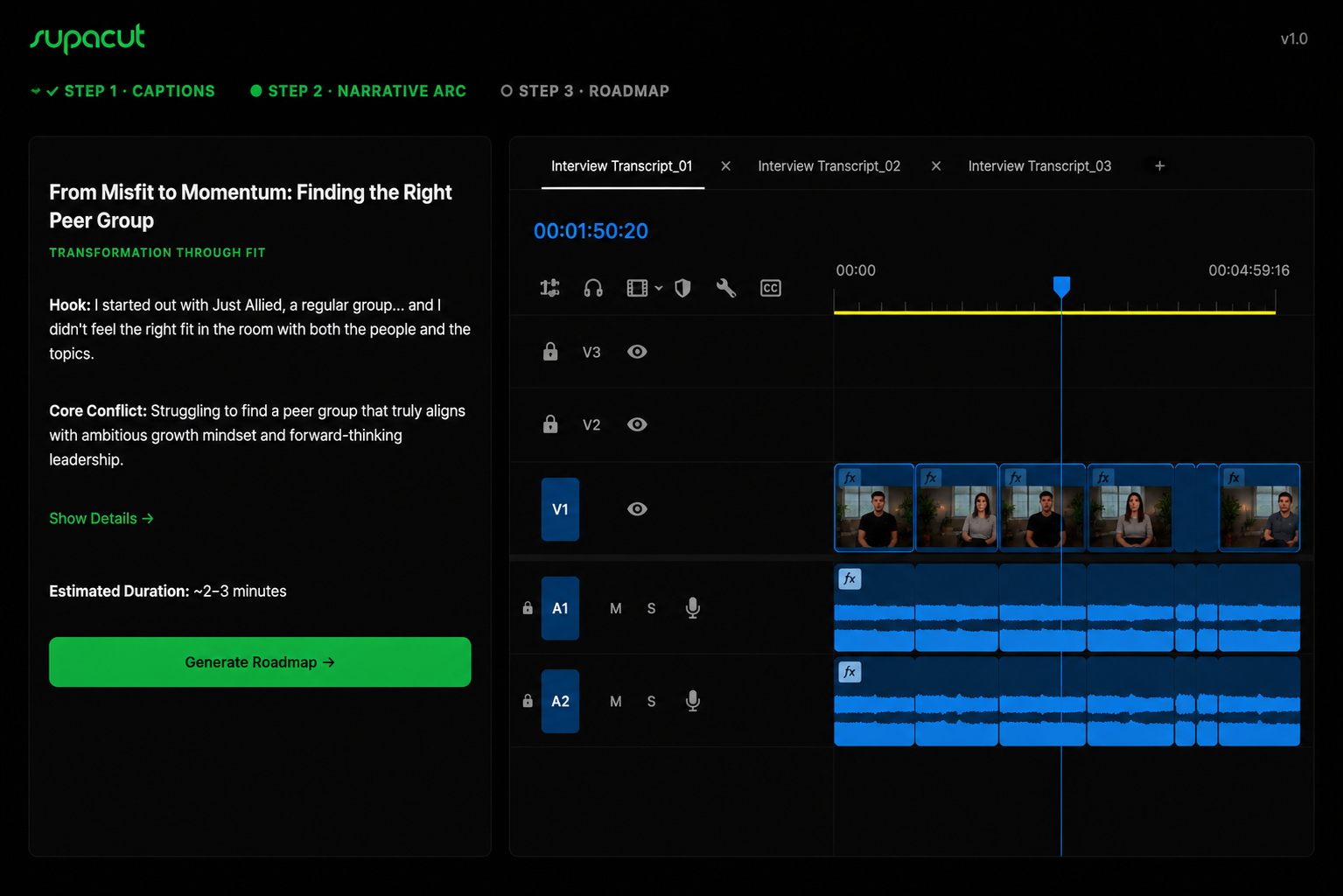
Supacut narrative arc — structure built across all footage simultaneously
Feature by Feature
Workflow-driven comparison
| Criterion | Premiere Text Editing | Best ChoiceSupacut + Premiere Pro |
|---|---|---|
| Role in the Process | Micro-editing tool (trimming phrases, pauses, and stutters) | Macro-structural tool (designing the narrative architecture) |
| Content Analysis | None — a linear, text-based search engine (Cmd + F) | Advanced — categorizes footage by themes, subtext, and tension |
| Structural Suggestions | No — the editor must know what goes first, second, and last | Yes — automatically generates complete story blueprints |
| Multicam / Multi-interview | Clunky — handles text linearly on an active track basis | Intelligent — cross-references and weaves multiple angles together |
| Time to First Assembly | Hours (selecting and inserting individual sentences) | Minutes (the AI generates a complete multi-block sequence) |
Transformation
Stop staring at a blank timeline and an endless sea of text
Before
- Manually copying and pasting text chunks inside Premiere
- Praying the documentary structure makes sense on the back-end
- Hours lost selecting individual sentences to build a stringout
- Blank-timeline panic with no structural starting point
Now — with Supacut
- Supacut proposes the ideal narrative blueprint across all footage
- Start editing with 70% of the structural heavy lifting already done
- Thematic blocks and key arguments pre-organized in your timeline
- Focus on craft — not on assembly from scratch
No credit card required. Export your first Premiere sequence in minutes.